Step 2: Select an Example App
Browse the App Store and pick a starter template. A good starting point is the Basic Chat App, which provides a simple conversational AI agent.
Example Apps typically include:
- Basic Chat: Simple conversational interface
- Document Analysis: Process and extract information from documents
- Web Research: Automated web searching and data gathering
- Email Assistant: Handle and respond to emails
Recommended: Open in Studio
Click "Open in Studio" on the App card. The App is downloaded and set up in a new workspace automatically — no installation or manual configuration needed.
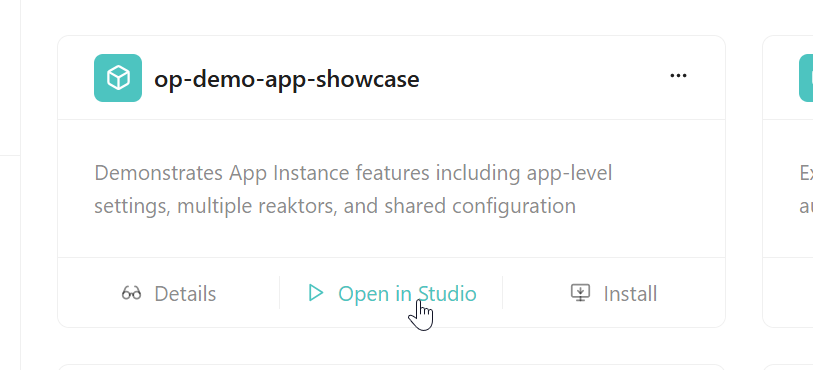
A dialog appears prompting you to name your App.
Naming Guidelines
- Only lowercase letters, numbers, and hyphens are allowed
- Choose a descriptive name that reflects the App's purpose
- The name must be unique within your organization
- Use clear, meaningful names (e.g.,
customer-support-chat,invoice-processor,sales-lead-researcher)
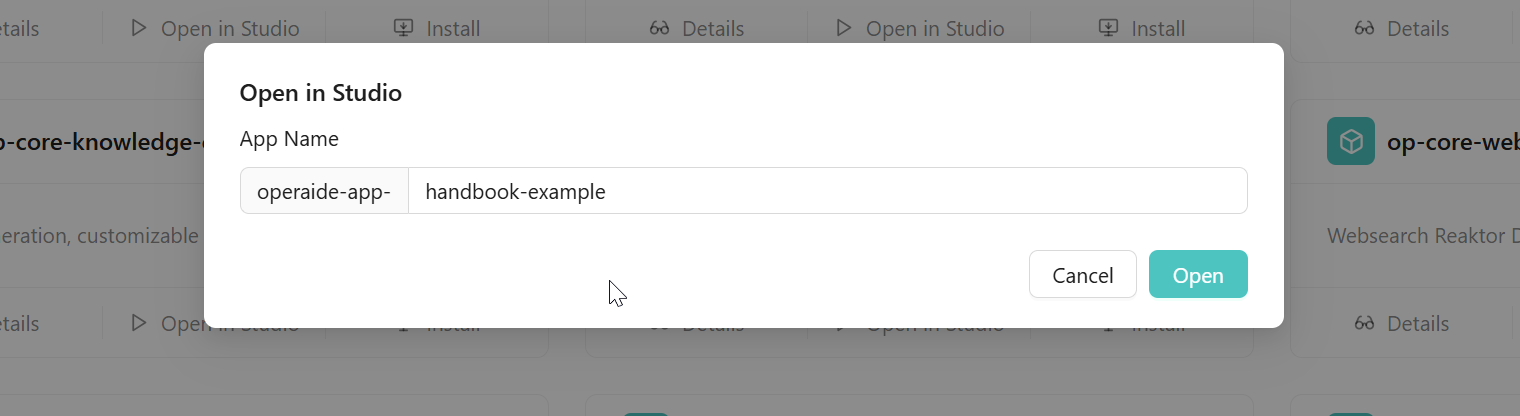
Enter your chosen name and click "Open". A new browser tab opens with Operaide Studio, ready for development.