Reaktor Deployment
When you want to deploy a Reaktor, there are two options.
- Install an exisitng Reaktor from the App Store
- Publish a custom Reaktor and deploy it
Install from App Store
Head to App Store and install an App from the available options.
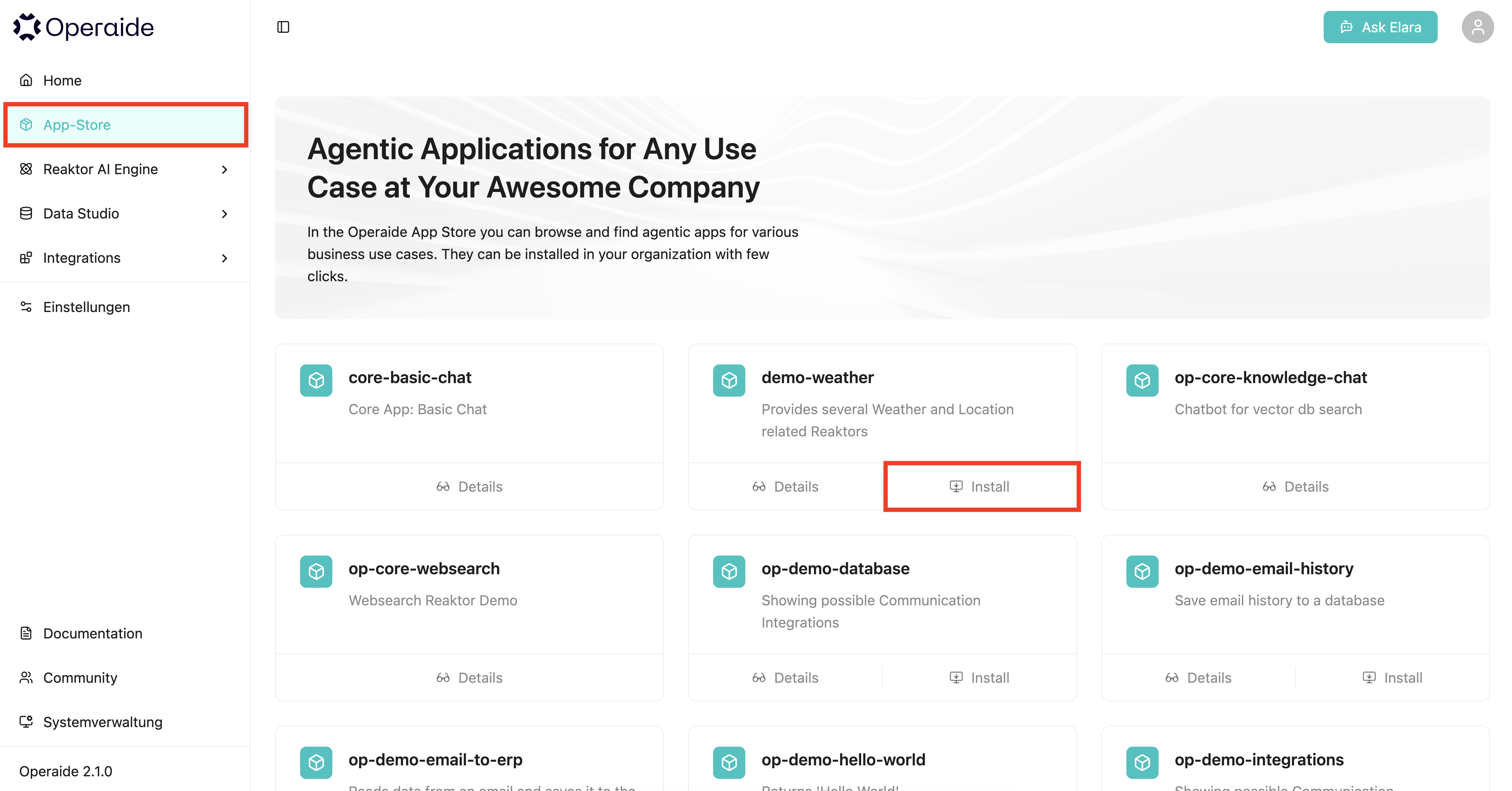
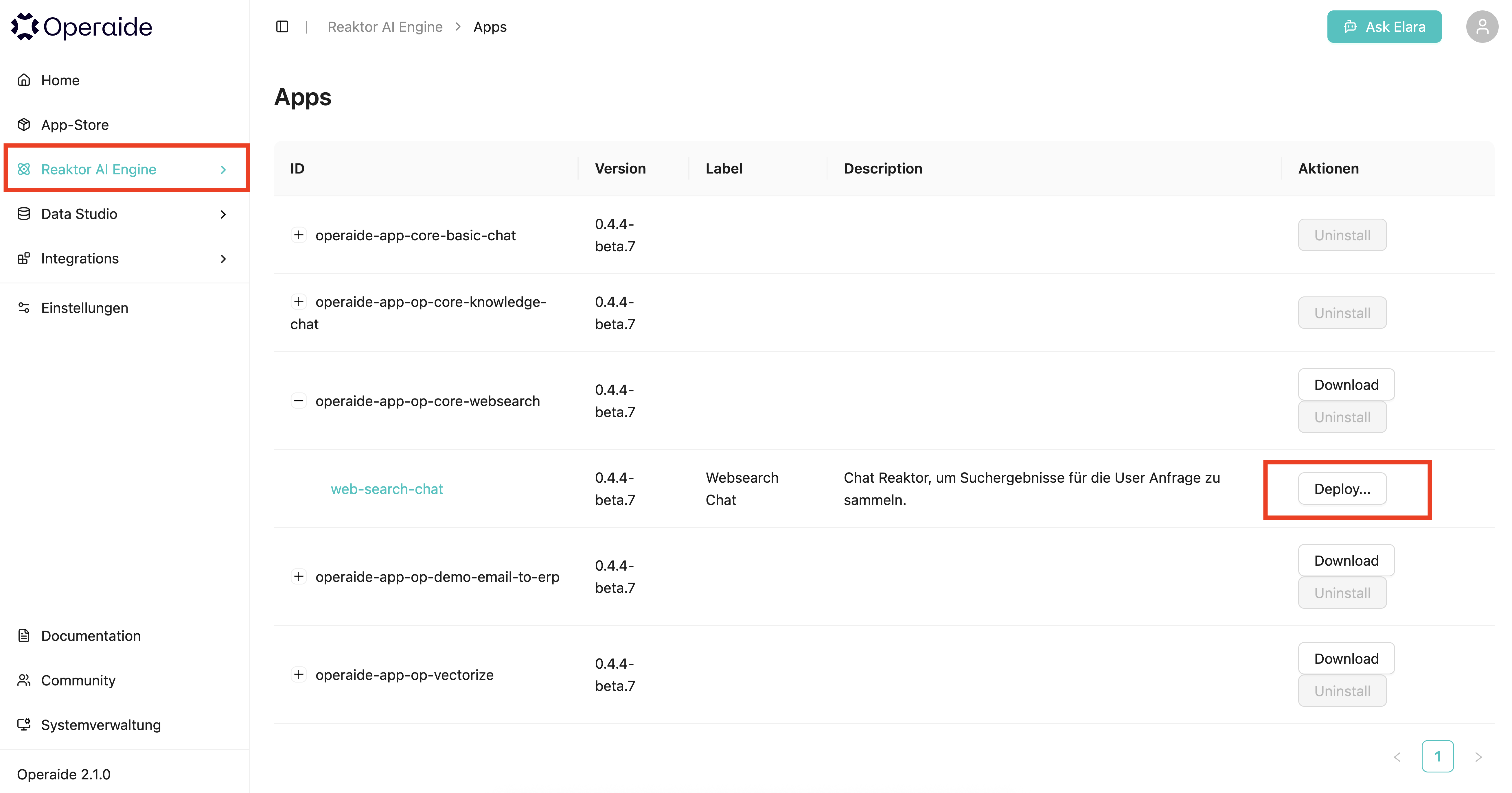
After installing, you can find it in the Reaktor AI Engine under Apps. Here you can see the version of your App, options to download it for local adjustments, and the option to deploy one of the Reaktors from the App.
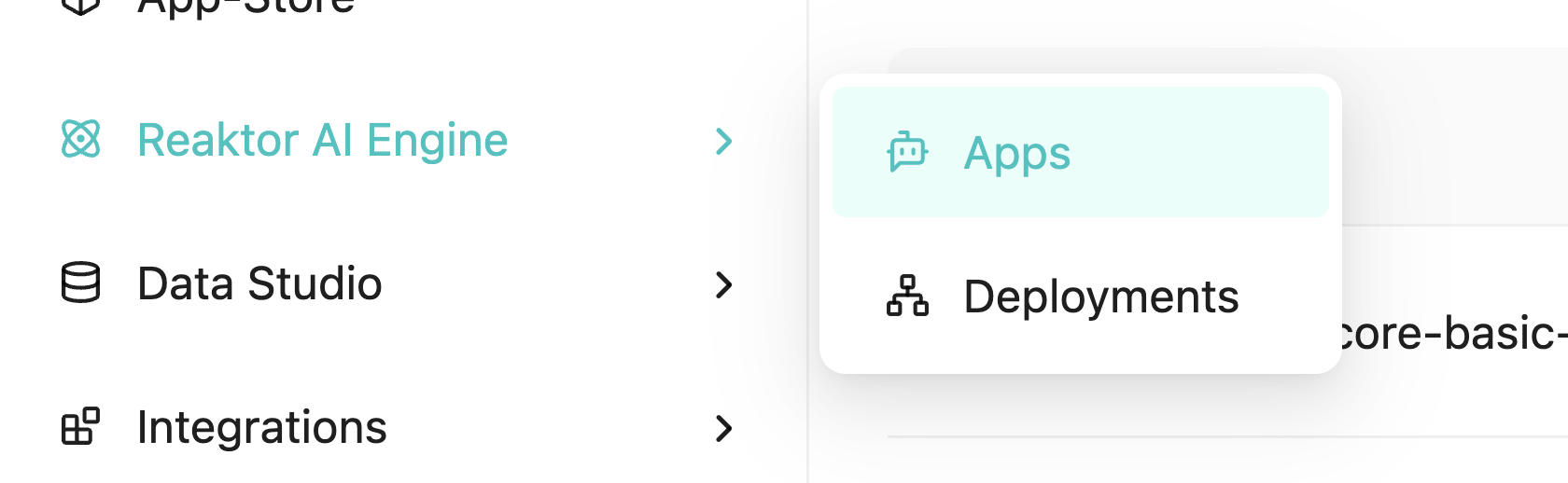
Apps are like packages for multiple Reaktors, but can also include just a single one.
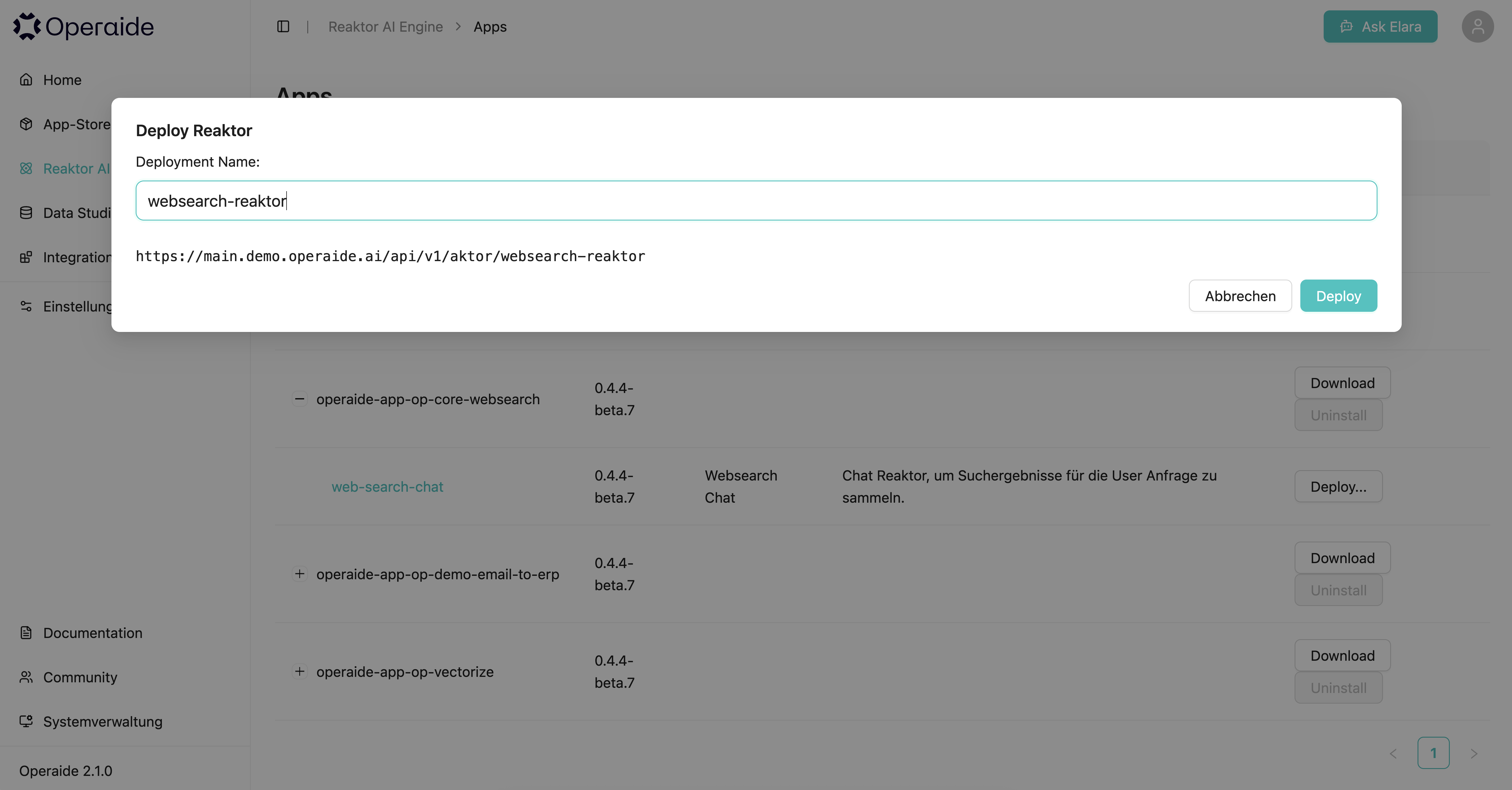
Click on Deploy and enter a name for your Deployment.
After that, you will be redirected to your new deployment, which looks like this:
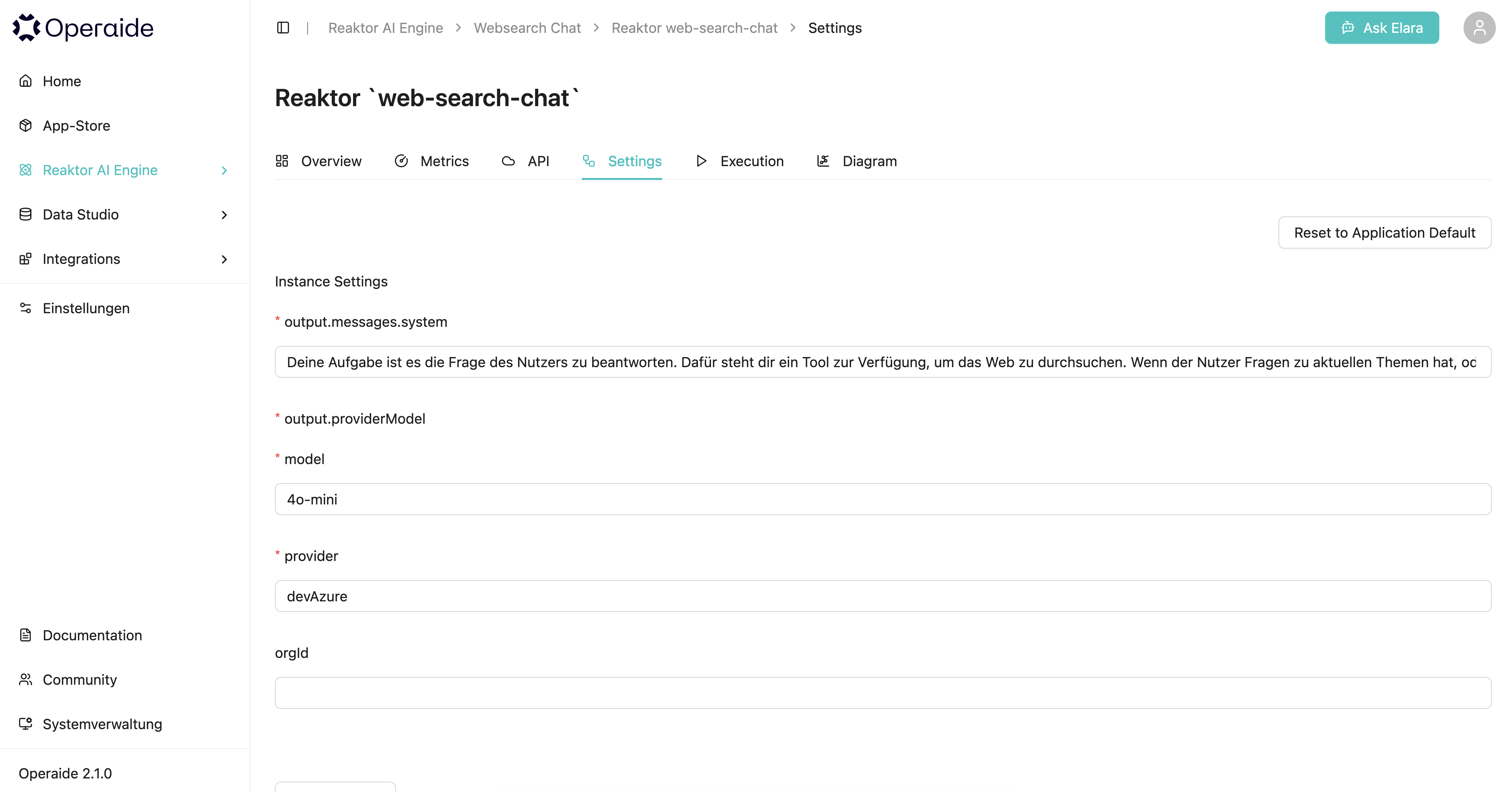
Here you can customize the settings for your Reaktor and test it using execute.
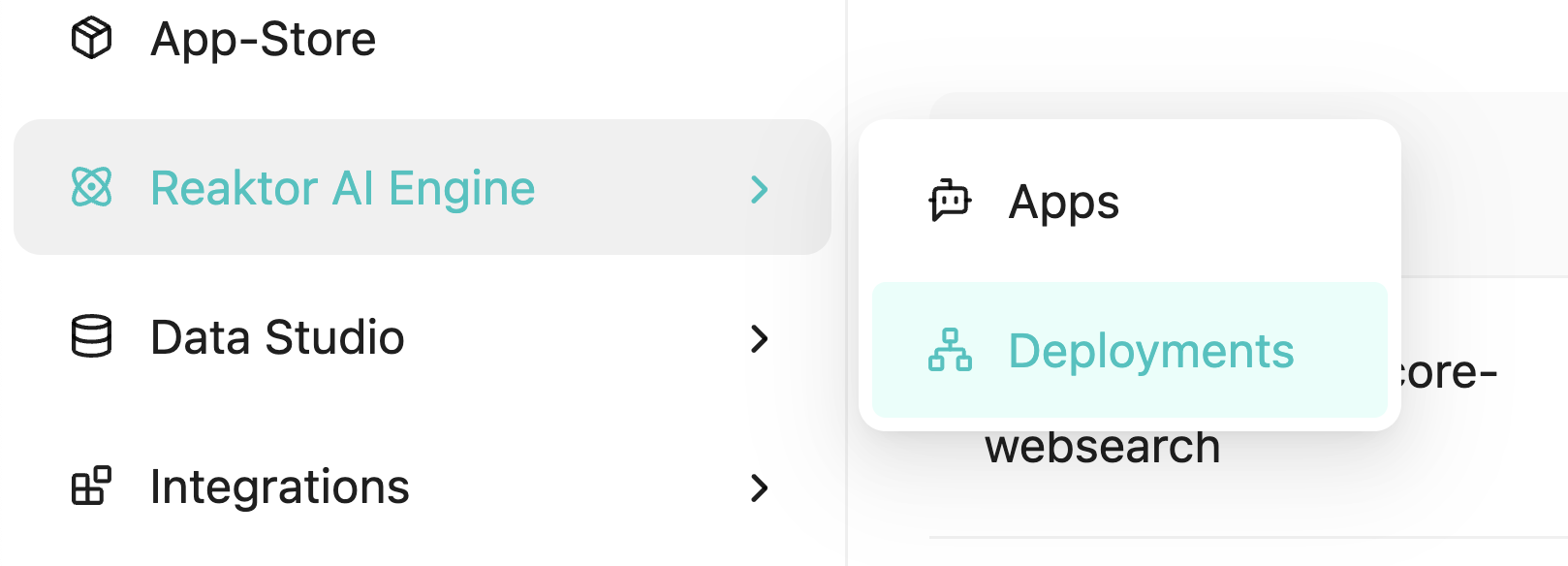
You can find your active Deployments in Reaktor AI Engine > Deployments.
Deploy custom Reaktor
First, you'll need a template from the Operaide platform. For this, we will soon offer blank templates. For now, you can install and download a simple Reaktor from the App store.
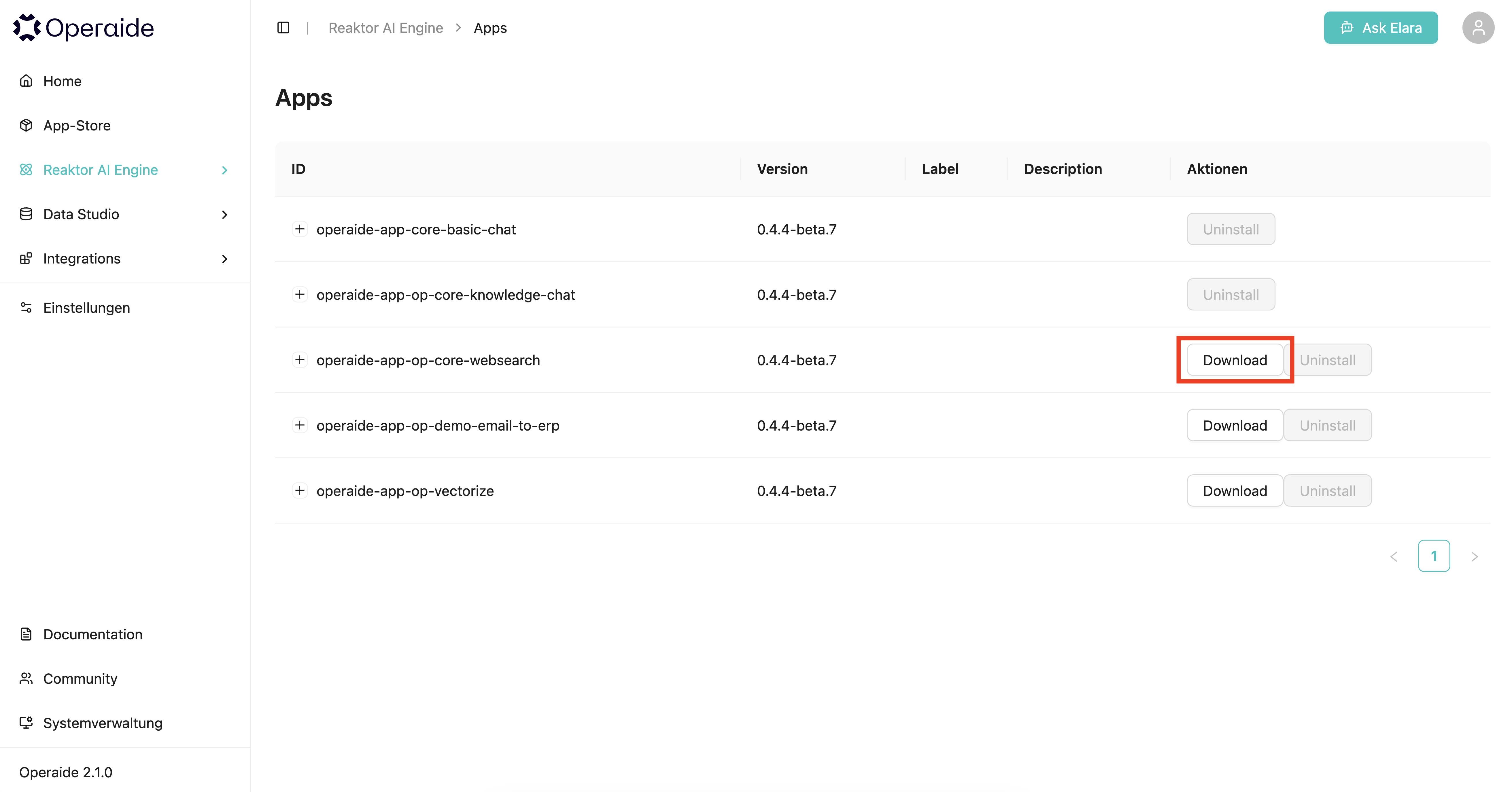
After downloading it, open the folder in your IDE and build your Reaktor as describes in our guides, for example the comprehensive guide on building Reaktors and Aktors.
Run npm install first to install the necessary dependencies
After finishing your Reaktor, you can test it using npm run deploy-watch. This will upload your new Reaktor into the Apps tab in the Reaktor AI Engine.
After deploying this new Reaktor using Deploy, you can execute it or use it in Elara, depending on the type of Reaktor you built.
If everything works fine, you can publish your Reaktor to your own registry using npm publish. This will publish the Reaktor into the defined registry under the .npmrc file, which is automatically set after downloading it.
Building UIs for Your Reaktors
If your Reaktor includes a web-based user interface, see the Building Reaktor Apps with Web UIs guide for detailed instructions on:
- Organizing files in the
public/directory - Using external CDN resources (Bootstrap, fonts, etc.)
- Configuring Content Security Policy
- Calling aktor endpoints from your UI